
Internet connectivity has become an essential service for homes, businesses and rural communities. For entrepreneurs and network professionals, starting a Wireless Internet Service Provider (WISP) presents an opportunity to deliver reliable connectivity while building a scalable business. With MikroTik networking equipment, setting up a basic WISP is both affordable and flexible.
What is a WISP?
A Wireless Internet Service Provider (WISP) delivers internet access using wireless technologies instead of relying entirely on fiber or cable infrastructure. WISPs commonly serve areas where traditional broadband is limited, expensive or unavailable.
Using wireless links, a WISP can distribute internet connectivity from a central point to multiple customers over short or long distances.
Why Choose MikroTik for a WISP?
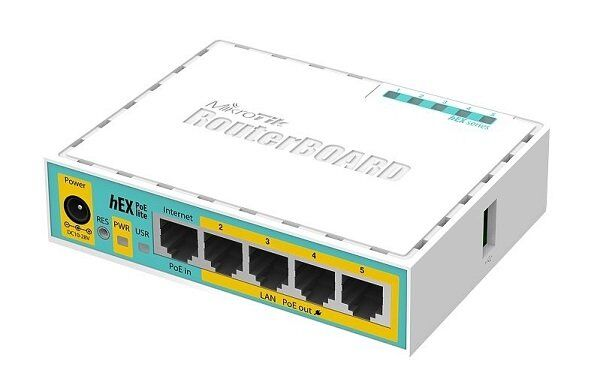
MikroTik has become a preferred choice among many WISP operators due to its affordability, powerful routing features and wide range of wireless networking products.
Some key advantages include:
-
Cost-effective hardware and licensing
-
Advanced routing and bandwidth management
-
PPPoE and hotspot authentication support
-
Flexible Quality of Service (QoS) controls
-
Scalable network management
-
Strong monitoring and firewall features
Whether you are starting with a small community network or planning future expansion, MikroTik provides tools to grow your infrastructure efficiently.
Basic Requirements for a WISP Setup
Before launching your WISP, you need several essential components.
1. Reliable Internet Source
Your WISP requires a strong upstream internet connection from an ISP or fiber provider. The speed and reliability of this connection determine the quality of service you provide to customers.
2. MikroTik Router
A MikroTik router acts as the core of your network. Popular options include:
-
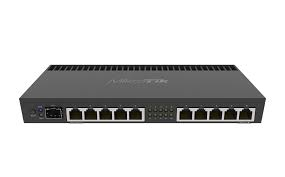
MikroTik RB4011
-
MikroTik CCR series
-
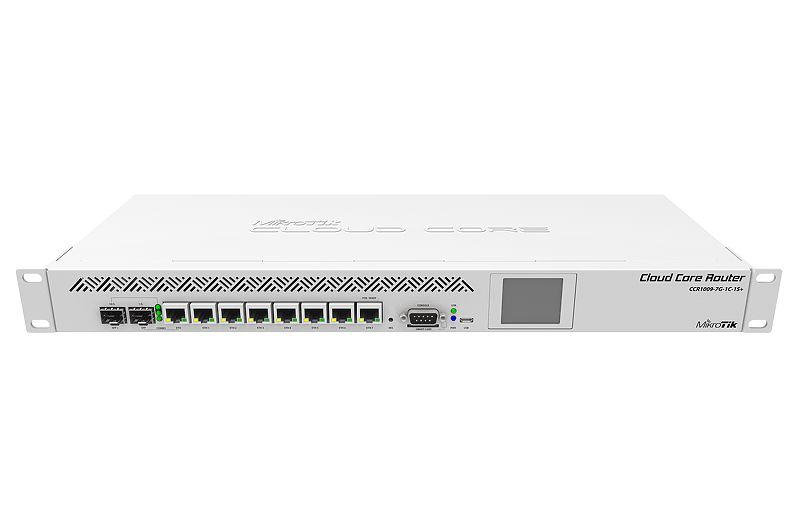
-
hAP series for smaller deployments
The router manages routing, authentication, bandwidth control and security.
3. Wireless Access Equipment
To distribute connectivity wirelessly, you need radios and access points. Common MikroTik wireless products include:
-
Base station antennas
-
Sector antennas
-
Point-to-point radios
-
Customer Premises Equipment (CPE)
These devices create wireless links between your tower and subscriber locations.
4. Tower or Elevated Mounting
Height matters in wireless networking. Installing antennas on towers, rooftops or masts improves signal coverage and reduces obstructions.
Maintaining clear line-of-sight is critical for stable performance.
5. Power Backup and Protection
Power interruptions can disrupt service. Use:
-
UPS systems
-
Surge protection
-
Backup power solutions
These protect equipment and maintain uptime.
Basic MikroTik WISP Configuration
A simple MikroTik WISP setup usually follows these steps:
Configure WAN Internet Access
Connect the upstream ISP connection to your MikroTik router and verify internet access.
Create LAN and Subscriber Network
Assign local IP ranges and establish the internal network that customers will use.
Enable PPPoE or Hotspot Authentication
Authentication helps manage customer accounts and billing.
PPPoE is commonly used because it allows:
-
Username and password access
-
Speed limitation
-
User management
-
Session tracking
Set Bandwidth Control
MikroTik Queue Management allows operators to:
-
Limit user speeds
-
Prevent bandwidth abuse
-
Prioritize important traffic
-
Maintain fair network performance
Secure the Network
Security is essential. Configure:
-
Firewall rules
-
Strong passwords
-
RouterOS updates
-
Remote access restrictions
This reduces risks from unauthorized access and attacks.
Challenges to Expect
Starting a WISP involves more than installing equipment.
Common challenges include:
-
Line-of-sight limitations
-
Weather interference
-
Power reliability
-
Customer support demands
-
Licensing and regulatory requirements
-
Initial infrastructure costs
Proper planning helps minimize these issues.
Growing Your WISP Business
Once your network is stable, focus on growth through:
-
Expanding coverage areas
-
Improving service quality
-
Monitoring network performance
-
Offering competitive pricing
-
Building customer trust
Many successful WISPs start small and gradually scale into larger regional providers.
Final Thoughts
Starting a Wireless ISP with MikroTik is an achievable path for entrepreneurs and network professionals looking to provide reliable internet access. With the right equipment, planning and network management practices, even a basic deployment can evolve into a sustainable and scalable connectivity business.
As demand for wireless internet continues to rise, WISP opportunities remain strong—especially in underserved and rapidly growing areas.